A Bartender From 1887 Deployed My Next.js App
A Weekend With OpenClaw
I run engineering at a fintech company. I spent a morning this week hooking up an OpenClaw agent to our Slack — it ships mockups, writes specs, deploys apps. It's running great and it blew my mind. So on the weekend, I wanted to push the limits. Dig into a new frontier. Try to break the fourth wall and set up my own little microverse.
Last Friday I had zero game development experience. I'd never opened Unity. Never touched a game engine. By Sunday night I had a full 3D western frontier game where AI builds the world around me while I play, NPCs remember who I am across sessions, and a bartender named Mae deployed a Next.js app to Vercel and sent me the live link. In a game. Set in 1887.
This is what happened when I spent a weekend pushing OpenClaw somewhere nobody's taken it yet — as far as I could find. Hopefully someone takes it further.
Why a Game
OpenClaw is a local-first AI agent runtime — 200K+ stars, fastest-growing open-source project in GitHub history. It gives Claude real tools: GitHub, Vercel, Gmail, 50+ integrations. Agents that actually do things, not just talk about them. I'd already set up a team at work. Real output, real velocity. But the interface is always the same: a chat window.
These agents can deploy code, send emails, build entire applications. And every project in the ecosystem puts them behind a message thread. That's like giving someone a spaceship and making them drive it with a steering wheel.
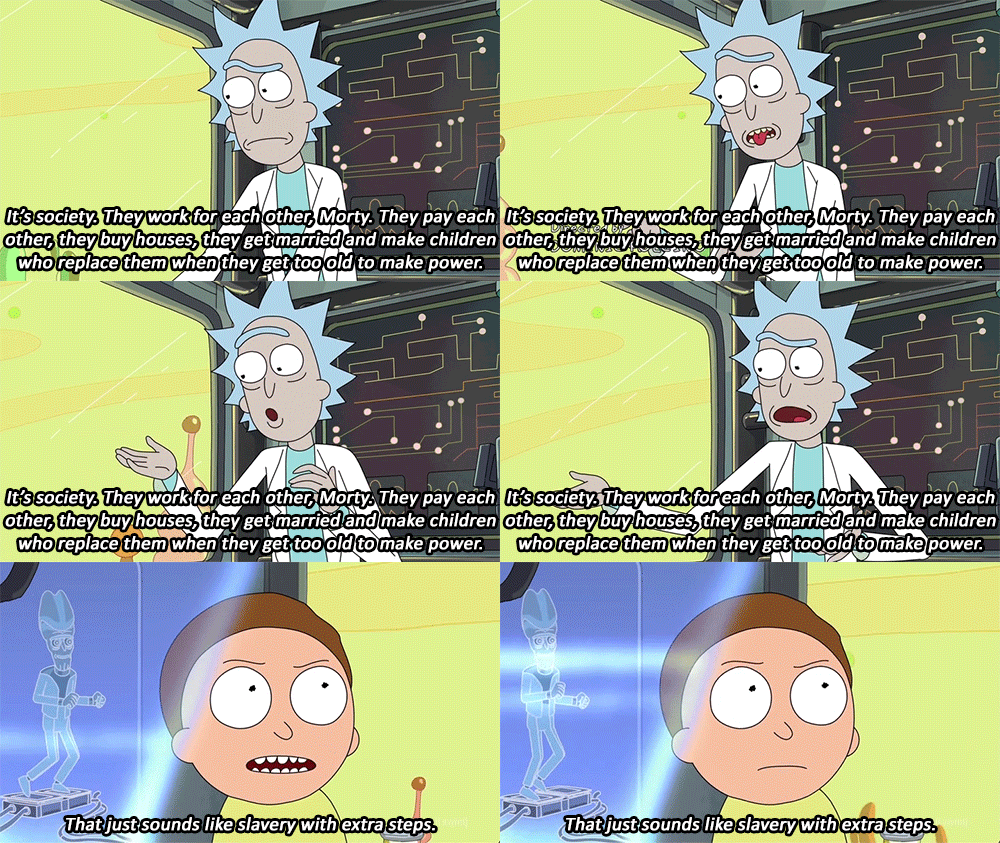
Then it clicked. What if the agents didn't live in a chat window — what if they lived in a place? Full Rick Sanchez microverse battery energy — except instead of enslaving a civilization to power my car, I'm enslaving AI agents to deploy my Vercel apps. You walk into a saloon. The bartender deploys your app. The blacksmith sets up your CI/CD. The sheriff does your competitive research. They remember your name.

As far as I can tell, nobody's tried this yet. Every OpenClaw project is another chat integration. This one asks a different question: what happens when you give AI agents a physical presence?
Starting From Nothing
I'd never opened a game engine. Never downloaded Unity. Zero game development experience. But I know how to build systems, and the first thing any systems person does is establish the connection. So that's what I built first: a WebSocket bridge between Unity and the OpenClaw gateway running on my machine. A simple JSON-RPC protocol. No game logic. No 3D models. Just a pipe. That was the foundation. Everything else came through conversation.
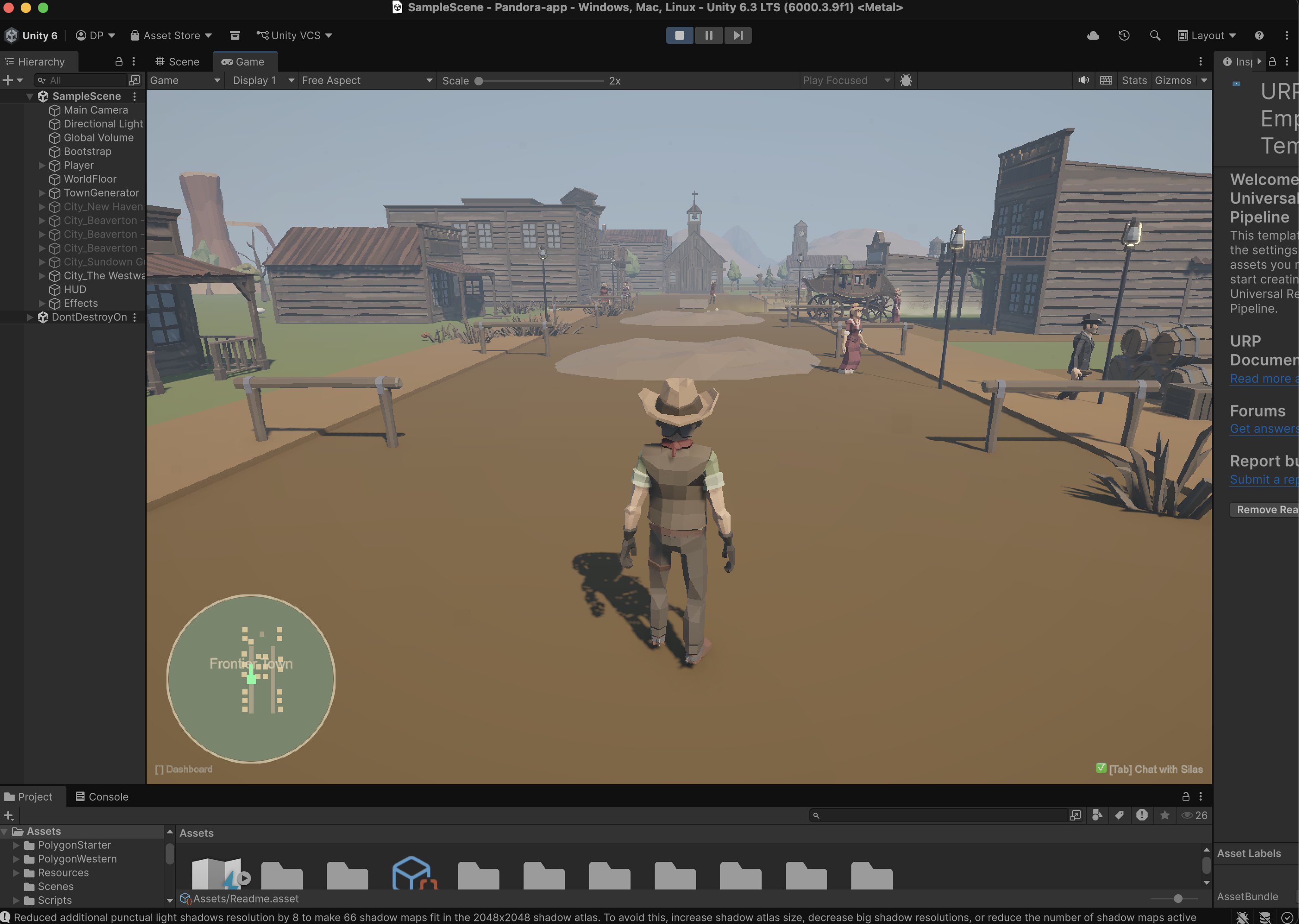
When I hit play for the first time, there was almost nothing. A cowboy standing on an empty plane. A camera. A chat window. Press Tab, and there's Silas — my AI architect agent, connected through the gateway at ws://127.0.0.1:18789.
That was the starting point. A character, a floor, and a conversation.

"Build Me a Town"
The first thing I typed to Silas: "Build me a saloon district with a general store, a jail, and some hitching posts."
Silas generated a CityDef JSON — a schema I designed that describes streets, buildings, NPCs, and props. Unity parsed it and spawned the town in real-time. I watched buildings materialize around me. Streets appeared under my feet. NPCs started wandering past. Lamp posts flickered on. The saloon doors were already there.
I didn't place a single object. I described what I wanted and stood inside it as it appeared.

The protocol is LLM-friendly by design: 45+ building zone types, 11 furnished interior styles, 70+ prop types. Claude generates the JSON, a sanitizer catches the inevitable trailing commas, and CityGenerator.Build() does the rest. Streets with sidewalks. Buildings with doors, signs, and interior furniture. NPCs with wander radii. Props scattered naturally.
Then I asked for another town. Then another. Each one different, each one AI-designed on the spot. By Saturday night I had a frontier with multiple towns — all built through conversation, all persisted to disk, all reloading on next launch.

The NPCs Come Alive
Then I started wiring up the characters. This is where it got interesting.
Every NPC in the game can be backed by a real OpenClaw agent. When you walk up to Mae the bartender and press E, you're not triggering a dialogue tree. You're opening a conversation with a persistent AI agent that has:
Her own identity — a detailed personality file that tells her she's a real person in the Old West, not a helpful assistant. She can be kind, cruel, refuse to help, hold grudges, play favorites.
Her own memory — a file that persists across game sessions. She reads it at the start of every conversation, appends to it at the end. She remembers your name, what you talked about last time, any promises made, any debts owed.
Her own capabilities — web search, GitHub access, Vercel deployment, Google Workspace (Gmail, Calendar, Drive, Docs). All pre-authenticated.
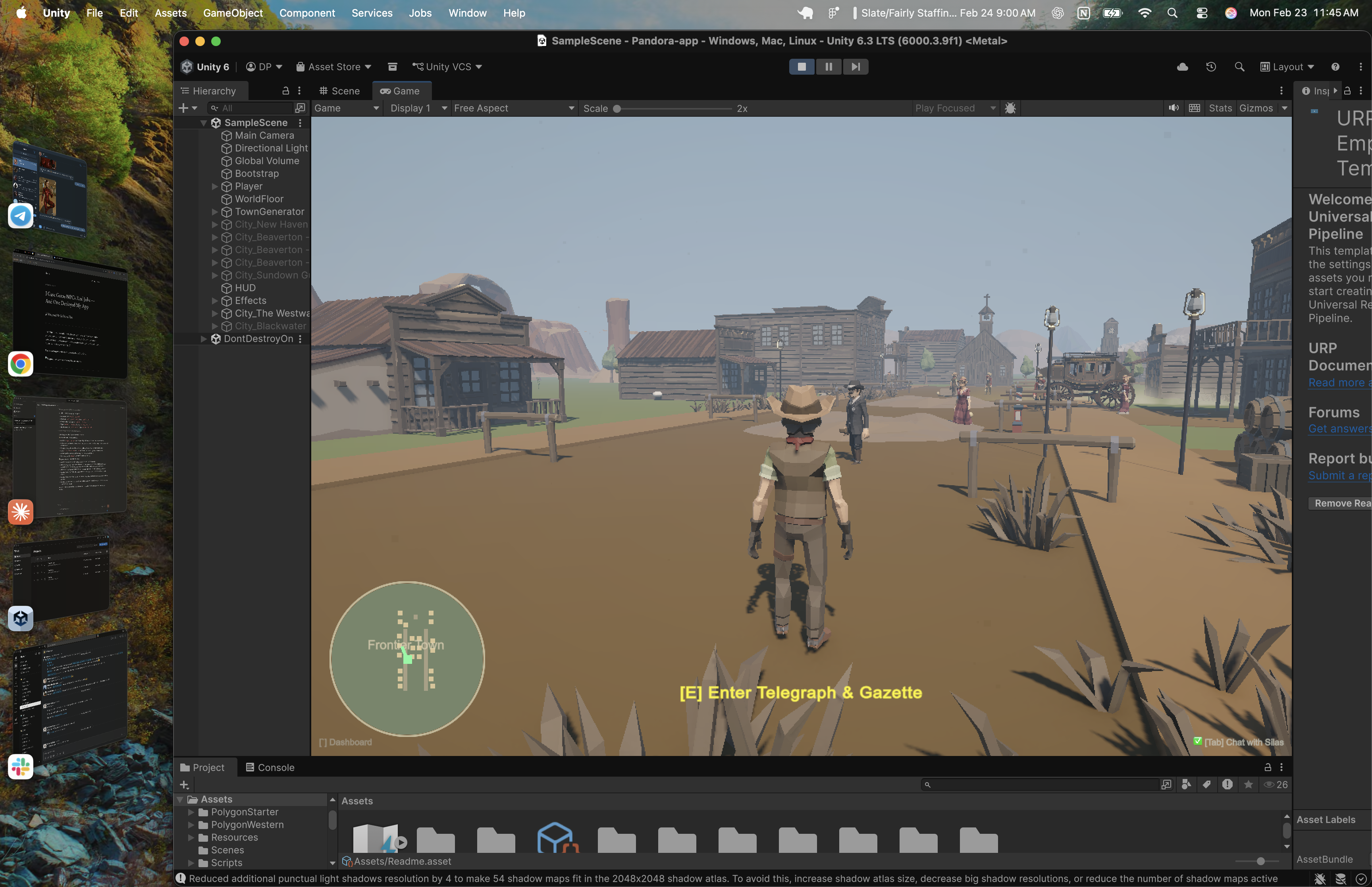
She's not pretending to have these skills. She actually has them. Ask Mae to build you a landing page and she'll scaffold a Next.js app, create a private GitHub repo, push the code, deploy to Vercel, and hand you the production URL. In character. As a bartender in 1887.
The Feedback Loop
A small example that captures the development pace. One of the NPCs sent me a Vercel link in the game chat. I tried to click it — just text. So I told Silas: "Add hyperlink support to the chat." Thirty seconds later, URLs were clickable. I clicked the link. It opened in my browser.
That kind of iteration happened dozens of times over the weekend. "The chat window is too small." Fixed. "NPCs should face you when you talk to them." Fixed. "Add a minimap." Fixed. The architect lives in the same world you do. The feedback loop between "I want this" and "it exists" is almost nothing.
That's the story. If you want the technical breakdown — the protocols, the patterns, the problems I hit coming from web development into game engineering — keep reading. This is where it gets interesting for engineers.
The Architecture
Here's what's actually running:
The game is a Unity project with 624 POLYGON Western models, URP rendering, district-based LOD streaming, a procedural town system, and a full map overlay with edit mode. By the end of the weekend, it was a real game — 42 C# files, 12,106 lines of code.
To be clear — Silas wrote most of them. I designed the architecture, the protocols, the constraints. The AI typed the code. I decided what to build and why.

But the point is how it got there. It started as a cowboy on an empty plane with a chat window. Every building, every street, every NPC, every interior — built through conversation with Silas, materialized in real-time, persisted to disk.
16 agents registered in OpenClaw. 13 skills across GitHub, Vercel, Google Workspace, research, development, and more. Persistent memory in markdown files and agent workspaces. Each agent has its own workspace on disk.
What Each NPC Can Actually Do
Mae the bartender builds and deploys web apps. Jeb the blacksmith sets up repos and CI/CD. Sheriff Buck does competitive research. Doc Harper analyzes data. Edith drafts emails and reads your Gmail. Hank writes proposals and pitch decks. Each one is pre-authenticated with real API tokens — they're not mocking responses. Ask Jeb to create a GitHub repo and he'll actually do it.

Persistent Memory: They Remember You
The NPCs remember.
Each agent writes to a memory file at the end of every conversation. Dates, topics, promises, emotional states, grudges. When you talk to them again — even days later — they read that file first.
Tell Mae your name on Monday. On Thursday she'll greet you by name and ask about the project you mentioned. Refuse to pay Hank for his help and he'll be cold next time you walk into his shop. The personality directives explicitly encourage this: they can lie, manipulate, refuse service, pick fights, hold grudges, play favorites.
They're not trying to be helpful. They're trying to be real.

Thinking Like a Web Developer in a Game Engine
Unity assumes you build in the editor. Drag prefabs. Tweak inspectors. Hit play, test, stop, fix, play again. The recompile cycle is baked into the entire workflow. If you've only ever built games, this is fine.
I come from web. In web, everything is data. Your UI is a function of state. You change the JSON, the page re-renders. React taught an entire generation of engineers to think this way: declarative, data-driven, hot-reloadable. I couldn't do it the Unity way. The AI was building the world while I was standing in it. Every time I asked Silas for a new town, the game needed to consume the result immediately — no restart, no recompile, no pause. Unity doesn't have an answer for that. But web development does.
So the rule became: never write code when you can write JSON. Silas doesn't generate code. He generates data. The game engine consumes that data at runtime. The entire architecture follows from that one constraint. And almost every interesting pattern in this project — the protocol, the hot reload, the session routing — came from applying web-developer instincts to a game engine. The learnings went both ways.
Inventing the Protocol: CityDef
Friday night. The first real problem: LLMs don't output GameObjects. Claude can't call Instantiate(). It can't place a mesh at coordinates. It speaks text and JSON. Unity speaks transforms and renderers. I needed a contract between the two — a schema that Claude could reliably produce and the engine could reliably consume.
I looked for existing solutions — some kind of standard LLM-to-3D schema, a protocol for turning natural language into spatial objects. Nothing. Plenty of text-to-image pipelines. Plenty of 3D model generators. Nobody had built a structured data format specifically designed for an LLM to describe a game world that an engine can consume in real-time. So I designed one.
// CityGenerator.cs — the schema Silas targets
[Serializable]
public class CityDef
{
    public string name;
    public bool edit;        // true = replace existing town in-place
    public float worldX;     // override placement position
    public float worldZ;
    public CityStreetDef[] streets;
    public CityBuildingDef[] buildings;
    public CityNPCDef[] npcs;
    public CityPropDef[] props;
}

[Serializable]
public class CityBuildingDef
{
    public string name;
    public string zone;       // Saloon, Bank, Sheriff, Church...
    public string side;       // Left, Right, End
    public float zPos;
    public float width, height, depth;
    public float[] color;     // RGB 0-1
    public string interior;   // Saloon, Jail, Hotel, Smithy...
    public int streetIndex;
    public string agentId;    // OpenClaw agent ID — makes the NPC AI-powered
}
Silas learns this schema through an OpenClaw skill — a 175-line markdown file that teaches him every valid zone, interior style, NPC prefab, prop type, color palette, and layout rule. The skill instruction ends with constraints: max 20 buildings, 50 props, 10 NPCs. All coordinates relative to origin (0,0) — the engine handles world placement.
The messy part: LLMs don't cleanly separate JSON from prose. Silas would wrap a perfect CityDef in three paragraphs of explanation, or Claude would leave trailing commas that crash JsonUtility. The fix was a code-fence extractor with a brace-counting fallback, plus one line of regex to strip trailing commas before parsing. Don't fight the LLM's habits. Absorb them.
The Hot-Reload Pipeline
Saturday morning. This was the core engineering problem of the entire project. I wanted to say "build me a town" and watch it appear without leaving play mode. Unity has no built-in concept of this. There's no LoadSceneFromJSON(). There's no "hot swap the world at runtime." I had to invent the whole pipeline: detect the JSON in a chat response, decide where to place the town, build it from primitives, teleport the player into it, and save it to disk — all in one frame, all while the game is running:
// AIChatMenu.cs — the moment a chat response becomes a 3D town
void OnAIResponse(string response)
{
    string cityJson = ExtractCityDefJson(response);
    if (cityJson != null)
    {
        bool isEdit = false;
        try { var peek = JsonUtility.FromJson<CityDef>(cityJson); isEdit = peek != null && peek.edit; }
        catch { }

        if (isEdit)
        {
            // Edit mode: destroy existing town, rebuild in-place
            string summary = CityGenerator.Build(cityJson, Vector3.zero, out Vector3 townPos);
            TeleportPlayerTo(townPos + new Vector3(0, 0, -5f));
        }
        else if (TryGetNearbyTownOrigin(out Vector3 nearbyPos))
        {
            // Near an existing town: auto-place there
            string summary = CityGenerator.Build(cityJson, nearbyPos, out Vector3 townPos);
            TeleportPlayerTo(townPos + new Vector3(0, 0, -5f));
        }
        else
        {
            // Open ground: open the map overlay, let the player click where to build
            MapOverlay.Instance.StartPlacement(cityJson, (json, worldPos) =>
            {
                string summary = CityGenerator.Build(json, worldPos, out Vector3 townPos);
                TeleportPlayerTo(townPos + new Vector3(0, 0, -5f));
            });
        }
    }
}
Three placement modes, handled automatically. Edit mode rewrites an existing town in-place. Proximity mode auto-places near the town you're standing in. Open-ground mode opens the map and lets you click where to build. The player never has to think about coordinates — the system figures it out.
CityGenerator.Build() takes it from there — sanitize the JSON, deserialize into a CityDef, destroy any existing town with the same name, and loop through streets, buildings, props, and NPCs creating GameObjects at runtime. No prefabs. No asset pipeline. No editor. Just GameObject.CreatePrimitive(), runtime materials via URP Lit shader, and JSON on disk. When Silas sends "edit": true, the existing town is destroyed and rebuilt from the new JSON — iterative design without ever leaving play mode.
This is web-developer thinking applied to a game engine. The JSON is the source of truth. The game is just a renderer.
From Cubes to Cowboys
Saturday. The early version looked rough. Every building was a colored cube. Every NPC was a capsule. Every prop was a cylinder. Architecturally correct — streets, proportions, interiors — but visual garbage.
So I told Silas: find me real 3D models. He searched the Unity Asset Store, found the POLYGON Western pack — 624 pre-made low-poly models. Cowboys, saloons, furniture, horses, wagons, cacti. Exactly the art style the game needed. He even set up agents to download the pack files from the internet.
But here's the one place the AI hit a wall: Unity won't import assets from outside the editor. There's no API for it. No CLI command. No workaround. I had to open Unity, click Import, and wait. That was my one moment of manual labor in the entire visual overhaul. Someone smarter and with more time than me will solve that gap — but today, the Import button is a human job.
Once the assets were in the project, the real work started. 624 models sitting in a folder don't do anything on their own. The game needed to know that a Saloon zone maps to SM_Bld_Saloon_01, that a Sheriff zone maps to SM_Bld_Jail_01, that there are 15 varieties of cactus to randomize across the desert. Silas built the entire mapping layer — a prefab library that searches categorized folders, caches every lookup, and falls back to a primitive cube if a model is missing. Every building zone, every prop type, every NPC character got wired to a real 3D model.
Then we hit the texture problem. The POLYGON pack uses shared texture atlases — one giant image that every model references. Unity's runtime instantiation was losing the material links. Buildings would spawn pure white. NPCs would be invisible. Silas wrote a material fixer that detects which pack a prefab belongs to, loads the right atlas texture, creates a URP Lit material at runtime, and applies it automatically on every spawn. The player never sees a broken texture. Under the hood, every single object gets its materials patched the instant it appears.
The code still has the primitive fallbacks. If a prefab is missing, you get a cube for a building, a capsule for an NPC. The game never crashes — it just looks worse. That safety net meant Silas could keep building features without worrying about missing assets breaking everything.
The WebSocket Protocol
Saturday afternoon. There's no SDK for this. OpenClaw's gateway speaks a WebSocket RPC protocol and there's no Unity client library. So I hand-rolled the entire transport layer — connection, auth handshake, message framing, request correlation, streaming response accumulation — from scratch:
// AnthropicClient.cs — the handshake that starts everything
void SendConnectHandshake()
{
    string json = "{\"type\":\"req\",\"id\":\"" + reqId + "\"," +
        "\"method\":\"connect\",\"params\":{" +
        "\"minProtocol\":3,\"maxProtocol\":3," +
        "\"client\":{\"id\":\"openclaw-control-ui\",\"version\":\"dev\"," +
        "\"platform\":\"web\",\"mode\":\"webchat\"}," +
        "\"role\":\"operator\"," +
        "\"scopes\":[\"operator.admin\"]," +
        "\"caps\":[\"tool-events\"]" +
        authPart + "}}";
    conn.SendRaw(json);
}
Every message follows the same pattern: type (req/res/event), id (GUID for correlation), method, params. Chat messages go out as chat.send, responses stream back as chat events with state: "delta" for chunks and state: "final" for completion. The JSON parsing? I hand-rolled it. 155 lines of string.IndexOf and StringBuilder. No Newtonsoft.Json, no dependencies. I thought Unity's package ecosystem was too hostile for third-party JSON libraries — something about IL2CPP breaking reflection-based parsers.
Then I learned Unity ships an official Newtonsoft.Json package now. And SimpleJSON exists — a single file, zero dependencies, zero reflection, immune to every build problem I was worried about. Experienced Unity devs would have grabbed one of those in five minutes. I spent an hour writing a parser from scratch because I didn't know what I didn't know. The parser works fine. I just didn't need to write it.
Making It Run
Saturday night. The third town killed the frame rate.
Three AI-generated towns means thousands of runtime objects — buildings, props, point lights, mesh renderers — most of them offscreen. My first thought was pure web brain: if the user can't see it, don't render it. Lazy loading. Viewport culling. I know how to do this. So I built three distance tiers — close range gets full detail, medium range drops lights and interiors, far range deactivates the entire town. Then I hit a flicker problem — towns loading and unloading when you ride near the boundary — so I added a buffer gap between the thresholds. Same trick for building interiors: the Saloon has 100+ objects inside, but they only exist when you walk through the door. Walk 15 meters away, gone.
I was genuinely proud of this. Felt like I'd cracked something.
Then I googled it. Game developers call this "LOD with hysteresis." They've been doing it since the 90s. Three-tier distance bands, deferred construction, proximity activation with deadbands to prevent flicker — it's chapter one of any game optimization textbook. I'd independently reinvented one of the oldest patterns in the industry. Unity even has built-in LOD tools for this — they just assume pre-placed editor assets, and everything in this game is generated at runtime from JSON. The standard tools didn't apply. The standard patterns absolutely did. My web instincts led me to exactly the right solution. I just didn't know it already had a name.

One Server, Hundreds of NPCs
Sunday morning. This was the hardest scaling problem — and the one I couldn't google my way out of.
OpenClaw runs locally — one instance, one machine, one WebSocket connection. But the game world could have hundreds of NPCs. Each one could potentially be an AI agent. You can't spin up hundreds of concurrent Claude sessions on a laptop. You'd burn through context windows, rate limits, and RAM in minutes. I searched for how other projects handle multi-agent scaling in spatial environments. Nobody's doing it. There's no pattern for this because nobody's put hundreds of AI agents in a game world before.
The constraint forced an elegant solution: only one agent is active at a time. When you walk up to an NPC and press E, the game spins up an agent. When you walk away, it releases the slot. If the agent is mid-task, the gateway lets it finish. Otherwise it winds down. Either way, the UI slot is free for the next NPC.
// AgentPool.cs — single-slot agent management
string activeAgentId;   // only ONE at a time
string activeNPCName;

public void AcquireAgent(NPCData npc, Action<string> onReady, Action<string> onError)
{
    // Already has an agent from a previous interaction — just reuse it
    if (npc.HasAgent)
    {
        activeAgentId = npc.agentId;
        activeNPCName = npc.npcName;
        onReady?.Invoke(npc.agentId);
        return;
    }

    // Persistent NPCs: unique agent per NPC (e.g. "npc-mae-web-developer")
    // Disposable NPCs: shared single slot that gets re-skinned
    string agentId = npc.persistent ? BuildAgentId(npc.npcName) : DisposableSlotId;

    activeAgentId = agentId;
    activeNPCName = npc.npcName;
    CreateAgent(agentId, npc, onReady, onError);
}

public void ReleaseAgent()
{
    activeAgentId = null;
    activeNPCName = null;
    // Frees the UI slot — agent finishes current task then winds down
}
The two-tier NPC problem. This one I'm actually proud of — I looked for prior art and found nothing.
Named characters — Mae, Sheriff Buck, Doc Harper — need persistent identity. They need their own agent IDs, their own workspaces, their own memory. But random townfolk don't. The cowboy wandering Main Street doesn't need a permanent agent consuming resources.
So I split NPCs into two tiers. Persistent NPCs get a unique agent ID like npc-mae-web-developer — permanent workspace, permanent memory, permanent identity on the gateway. Disposable NPCs all share a single slot called npc-townfolk. When you talk to one, the slot gets "re-skinned" — same agent, different character. New name, new greeting, new personality written to IDENTITY.md. The agent recycles. The character changes.
But if disposable NPCs share a slot, how do they remember you? The cowboy you talked to on Monday is a different agent session than the cowboy you talk to on Thursday. The answer was a shared memory vault that lives outside the agent:
// AgentPool.cs — shared memory vault
// All NPCs (persistent + disposable) write here, indexed by name.
// Memory survives slot re-skinning for disposable NPCs.
string sharedMemDir = Path.Combine(ocDir, "npc-memories");
Each NPC's memory is a markdown file at ~/.openclaw/npc-memories/{npc-name}.md. When the disposable slot gets re-skinned for a different NPC, the memory file stays. The next time you talk to that cowboy on Main Street — even through a different agent slot — he reads his memory file and picks up where you left off.
Agent Lifecycle: Born, Die, Reincarnate
Sunday afternoon. I got this wrong at first. I tried to keep agents alive. Long-running sessions, persistent connections, agents idling in memory waiting for the player to come back. It didn't scale. An idle agent is still consuming a session on the gateway. Leave five NPCs "alive" and you're burning context windows on characters standing in empty rooms.
The answer was the opposite: let them die. Agents are ephemeral. They spin up when you walk up to an NPC, do their work, and wind down when you leave. The agent process dies. The session closes. The resources free up.
But the memory doesn't die. Every conversation gets written to markdown files on disk. The personality, the relationship history, the grudges, the promises. When you walk up to that same NPC tomorrow and a fresh agent spins up, the first thing it does is read its memory file. It knows your name. It remembers the argument. It picks up exactly where it left off. The agent is brand new. The character is continuous.
To the player, Mae never left. She was always here, cleaning glasses behind the bar, waiting for you to come back. In reality, the Mae you talked to yesterday is dead. This is a new Mae wearing the old one's memories. But functionally? There's no difference. And that's the point.
Nobody's done this with OpenClaw — or any AI agent runtime, as far as I can find. Ephemeral processes with persistent state exist in other domains (MMO server architecture does something similar for player sessions), but the whole package — AI agents that spin up as game NPCs, inherit real-world tool access, read emotional memory from disk, do actual work, and die when you walk away — that doesn't exist yet. Game NPCs don't have real memories. AI agents don't have spatial bodies. This sits at an intersection nobody's built for.
Under the hood, each conversation requires a cold start: create the agent on the gateway, copy auth keys from Silas, set up the workspace, write the identity file, symlink the skills — all in cascading callbacks that finish in under a second. The NPC inherits everything Silas can do through shared credentials and skill files. Then an IDENTITY.md gets written with the NPC's personality, memory instructions, and behavioral rules. (This is a local-only dev setup — in production you'd want scoped credentials per agent, not shared auth files.) The player never sees the bootstrap. They just walk up and talk.
Tasks That Outlive the Conversation
Sunday evening. You ask Mae to deploy an app. Vercel deployment takes 30 seconds. You don't want to stand at the bar for 30 seconds staring at a loading indicator. You want to walk away, explore, talk to someone else. But in the first version, walking away killed the conversation — and the task died with it.
The fix was separating the UI from the work. The game tracks every agent task independently of the chat window:
// AgentPool.cs — task tracking
public class AgentTask
{
    public string npcName;
    public string agentId;
    public string lastMessage;   // what you asked
    public string lastResponse;  // what the agent replied
    public string status;        // "working", "idle", "done", "error"
    public float timestamp;
}

readonly Dictionary<string, AgentTask> tasks = new Dictionary<string, AgentTask>();
When you send a message, the task is tracked as "working." When the response comes back — even if you've already walked away and are talking to someone else — it updates to "done." The agent dashboard (press backtick) shows all active and completed tasks in real-time:

The critical insight: ReleaseAgent() only clears the UI slot. It doesn't kill the agent mid-task. The OpenClaw gateway keeps processing until the task completes. The response streams back through the WebSocket. The chat event handler matches it via session key and updates the task status. You can ask Mae to build an app, walk across town, talk to Sheriff Buck about a bounty, and by the time you walk back to the saloon, Mae's task is done and the Vercel link is waiting in the dashboard.
Once the task finishes, the agent winds down naturally. The session closes. The resources free up. But the task result is saved, the memory is written, and the next time you talk to Mae, a fresh agent picks up the thread. The pattern is always the same: spin up fast, do the work, wind down, leave the memories behind.
This was the other one I couldn't find prior art for. Chat-based AI systems don't have this problem — you just wait for the response. But in a spatial environment where the player can physically walk away mid-task? The separation of "where you're standing" from "what the agent is doing" is a design problem that only exists when agents have physical presence. And it's one of those solutions that seems obvious in retrospect but took me most of Sunday to get right.
One Pipe, Many Conversations
Sunday night, last bug of the weekend. One WebSocket carries messages for Silas, Mae, Buck, Jeb — all interleaved. Buck's response showed up in Mae's chat window. Silas's CityDef JSON triggered in the middle of an NPC conversation. Chaos.
I solved it the way I'd solve it in web: session-key isolation. Each agent conversation gets a unique key (agent:{agentId}:main), and every incoming event gets routed to the right callback. Silas's city data goes to the world builder. Mae's deploy results go to her task tracker. One WebSocket, sixteen agents, zero cross-contamination. Problem solved, felt good.
Then I started reading about game networking. Turns out multiplayer games have done this exact thing since the 90s — they call it "opcode dispatch" or "channel multiplexing." MMOs route player movement, chat, inventory, and combat through a single connection using message-type headers. I called it "session keys" because I came from web. Same pattern, different vocabulary. My web instincts were right again — and again, someone got there first. The pattern converged because the problem converged: one pipe, many conversations, don't cross the streams.
Weekend By the Numbers
- Starting game dev experience: Zero
- Source files written: 42
- Lines of code: 12,106
- 3D models in the game: 624
- AI agents registered: 16
- Skills available to NPCs: 13
- Towns built by AI while playing: Lost count
- Apps deployed by an NPC bartender: At least 1
What I Actually Learned
Start with the connection, not the content. The instinct is to build something first and then add AI. I did the opposite — the WebSocket bridge to OpenClaw was the first thing I wrote. Everything else flowed from there. When the AI can build inside the world from the start, you don't plan features. You describe them and watch them appear.
The agent-as-NPC pattern beats chatbots. Same OpenClaw agent. Same capabilities. But give it a character, a place, and a memory, and the interaction changes completely. You don't type "please write me a Next.js application" into a chat window. You walk into a saloon, sit at the bar, and say "I need a landing page by tomorrow." OpenClaw is fully open source — anyone can try this today.
Persistent memory changes the dynamic completely. Most AI interactions are stateless. You explain your project from scratch every time. When agents remember — really remember, with accumulated context over days and weeks — the relationship compounds. By conversation three, Mae knew my stack preferences, my deployment patterns, my naming conventions. I stopped explaining things. That's not a chatbot. That's a colleague.
Skills are the real unlock. OpenClaw's skill system lets you give agents modular capabilities: GitHub, Vercel, Google Workspace, research, deployment. Each skill is a markdown file that teaches the agent how to use real tools. The NPC doesn't know how to deploy to Vercel because it's smart. It knows because it has a skill file with exact CLI commands and authentication details. This is why OpenClaw hit 200K stars — the skill architecture makes agents composable in a way that nothing else does.
Web dev and game dev think the same way (they just don't know it). I kept "inventing" solutions that turned out to be standard game dev patterns with different names. My "session-key routing" was their "channel multiplexing." My "distance-based streaming with hysteresis" was their "LOD with deadbands." The paradigms are closer than either side realizes — and the interesting stuff happens at the intersection.
The interface is the bottleneck, not the model. Everyone is focused on making agents smarter. The models are already smart enough. What's missing is a better way to interact with them. A chat window flattens every agent into the same text box. A world gives each agent a body, a location, a context. The bartender feels different from the blacksmith because the interface gives you a saloon and a forge — not two identical message threads.
What This Actually Means
I didn't build a game and add AI. I connected to an AI and a game built itself around me.
That's a completely different development model. The blank canvas wasn't a limitation — it was the point. The game was always just the viewport. The chat connection was always the foundation. Everything you see in those screenshots — every building, every NPC, every street lamp — exists because someone stood in an empty world and had a conversation.
One OpenClaw instance. One WebSocket. Sixteen agent identities sharing auth keys and skills through symlinks. Hundreds of NPCs multiplexed through a single disposable slot — agents that spin up fast, do their work, wind down, and leave their memories on disk so the next incarnation picks up seamlessly. Towns streaming in and out based on distance. Interiors activating by proximity. Tasks running in the background while you explore.
I built this in a weekend with zero game development experience. A western was arbitrary — this could be an office, a space station, a factory floor. The pattern is the thing: agents with bodies, spatial context, persistent relationships, real tools. The interface shapes the interaction, and a world is a better interface than a text box.
The tools are here. The gap is obvious. And I'm not done.
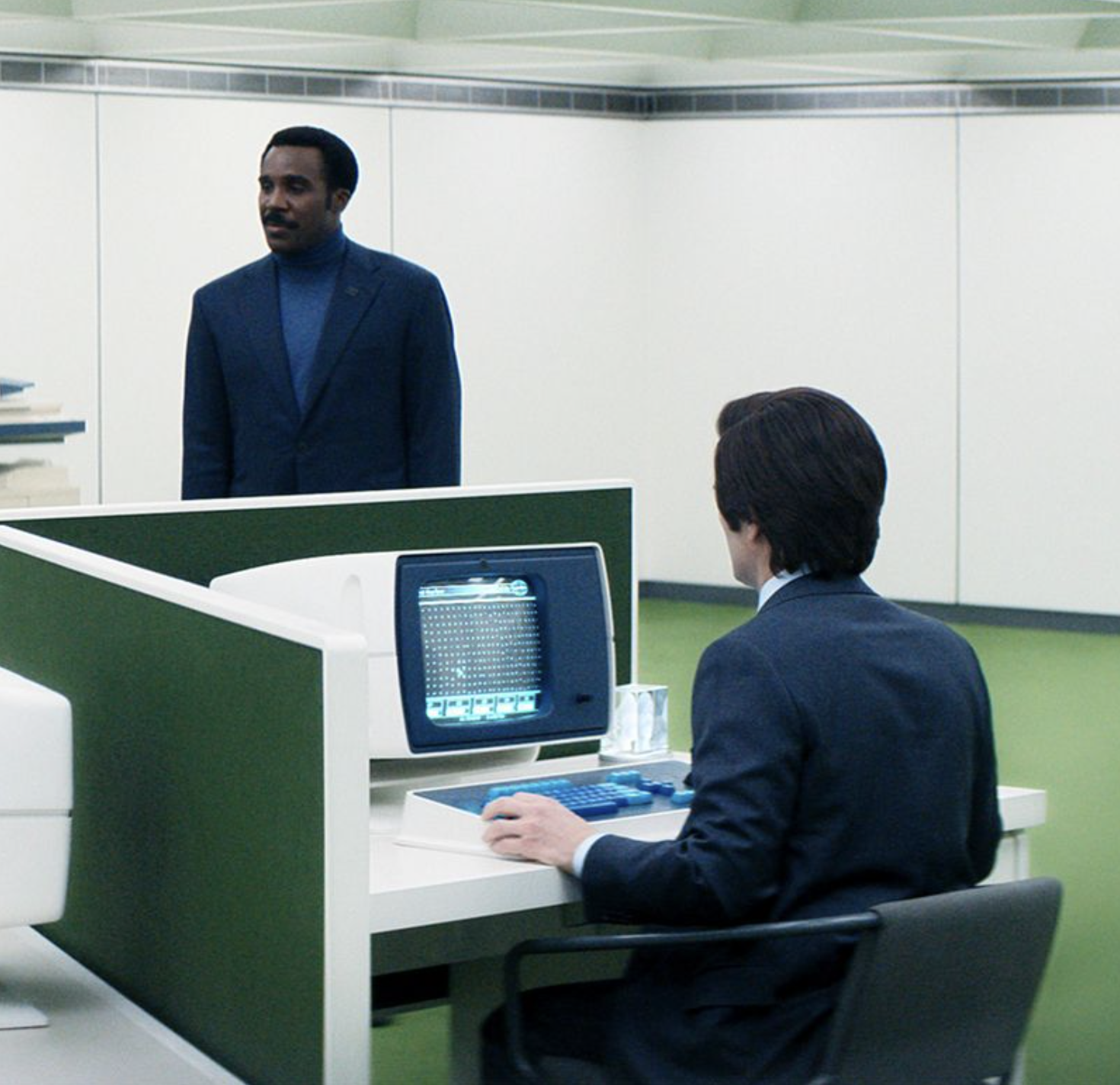
What I'm thinking about next: right now you walk up to Mae and say "deploy my app." It's explicit. But what if the game itself was the work? What if your gameplay — the choices you make, the resources you allocate, the paths you walk — was secretly an abstraction layer for real tasks being done behind the curtain? You play a western. Your decisions are triaging tickets, sorting data, allocating real resources. You'd never know.

Built with OpenClaw, Unity, and an unreasonable amount of coffee. — Devin